OpsDeck360
Appliance principle • Offline/Edge • fast to roll out

Operations on the shopfloor – without an IT project. Switch on → work.

OpsDeck360 digitizes warehouse & shopfloor in days – not months. Start offline on site (edge) and connect SAP/ERP later if needed. CSV/Excel is enough: import in, start working immediately.

✅ Go-live in days, not months
✅ No per-user licenses, no new infrastructure
✅ Offline-capable – works even without network
✓ Offline/Edge – no cloud dependency ✓ CSV/Excel compatible ✓ For plants, maintenance & MRO
Built by Dipl.-Wirt.-Inf. For SME operations teams Pilot-ready
--:--
--
Understood in 15 minutes. Live in 7 days.
SME logic: “We don’t want a project. We want it to run.” Here is the device: switch on → get started.
For SMEs, plant/site leadership and managing directors – cross‑industry (automotive, logistics, chemicals, etc.).
2‑min live demo in the browser
See the workflow in 2 minutes:
  1. Search & filter items
  2. Post goods receipt
  3. Check stock & history
Pilot: 30 days · 1 site · fixed price
SAP: optional (PM/EAM/QM or other systems via CSV)
Demo runs fully in the browser. No installation • No cloud • Own CSV possible.

Zero‑integration start: import a CSV → start working

Send a CSV (materials or work orders) – we import it and you can work immediately on Windows (PC/tablet/laptop). ERP/SAP integration is optional later.

What we need

  • Item master (CSV/Excel) – item no. + description (everything else optional)
  • Optional: Work orders/tickets (CSV/Excel) to start workflows right away
  • We provide templates + sample files to make it fast

How it works (48h)

  • You send CSV/Excel (or use our template)
  • We load your data into a demo – you see your setup
  • 15‑min review: fit? → pilot / go‑live next
SME benefit: no integration project upfront. Get value first, integrate later if needed.

ROI check (60 seconds)

Quick orientation: time × users × days × €/h — adjust values and see payback.

Payback / ROI
Investment €
0 12M
Profit after 12M
Profit after 24M
Profit after 36M
Example – fully editable. Formula: h × users × days × €/h.

Product instead of project

You get a ready-to-run system – not a consulting project. Set up, start, and let processes run.

Option A – Standalone (autonomous)

  • Warehouse & spare parts
  • Work orders / tickets
  • Handover log
  • Documents / FileHub
  • KPI overview

Option B – Hybrid (SAP/ERP optional)

  • Autonomous on-site operation
  • Optional data flow: export/import via CSV
  • Integration possible later (API/connection)
  • You decide – not IT
Important: Start standalone and connect later – no rebuild required.

What OpsDeck360 looks like in use

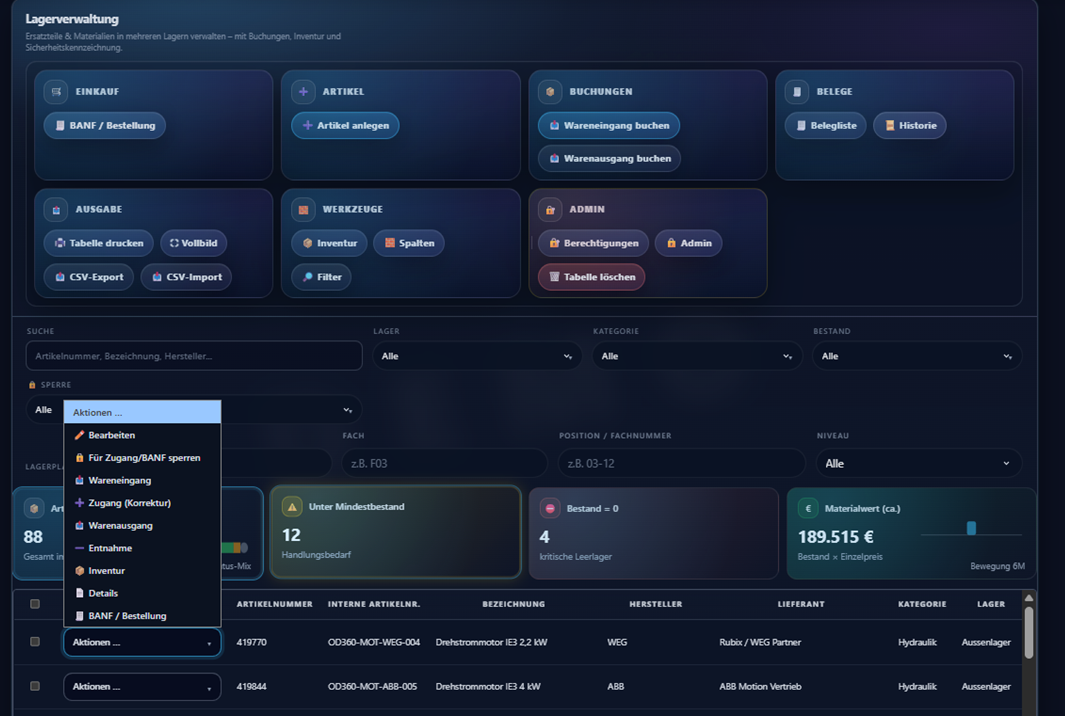
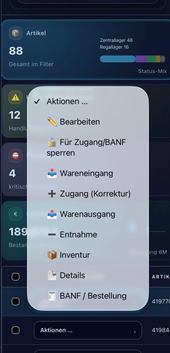
Real browser view from the live demo: desktop overview plus mobile detail — clear, operational and built for plant teams.

📸 Desktop view (live demo) OpsDeck360 live demo on desktop with hero and demo card
Real browser view from the demo. In a pilot, the interface is populated with your CSV data and your process context.
📱 Mobile/detail OpsDeck360 close-up of the demo card with modules and use cases

Great for demo/pilot conversations: use cases, modules and the entry path are visible immediately.

✓ Browser-based ✓ Desktop + mobile ready ✓ Use cases & modules visible ✓ Ideal for demo / pilot

Videos

3 minutes are enough to see if it fits. MP4 demos run right in the browser (files are in /Video).

Info – OpsDeck360 (short clip)

Quick overview – ideal to forward.

Warehouse management

CSV import

Import items/structures via CSV.

Goods receipt

Goods receipt buchen.

Goods issue

Goods issue buchen.

Purchase request / order

Request & order.

History / document lists

Documents, history & traceability.

Maintenance

Work tasks via CSV

Import & structure – from CSV upload to task list.

Workbench – process work tasks

Processing, feedback, status & traceability.

Instandhalter & Maintenanceer & Engineering

Live data dashboards.

FileHub – documentation

FileHub

Store, find and version documents/assets in a structured way.

KPIs

KPI‑Übersicht

Dashboards, Kennzahlen, Trends und schnelle Drill‑Downs.

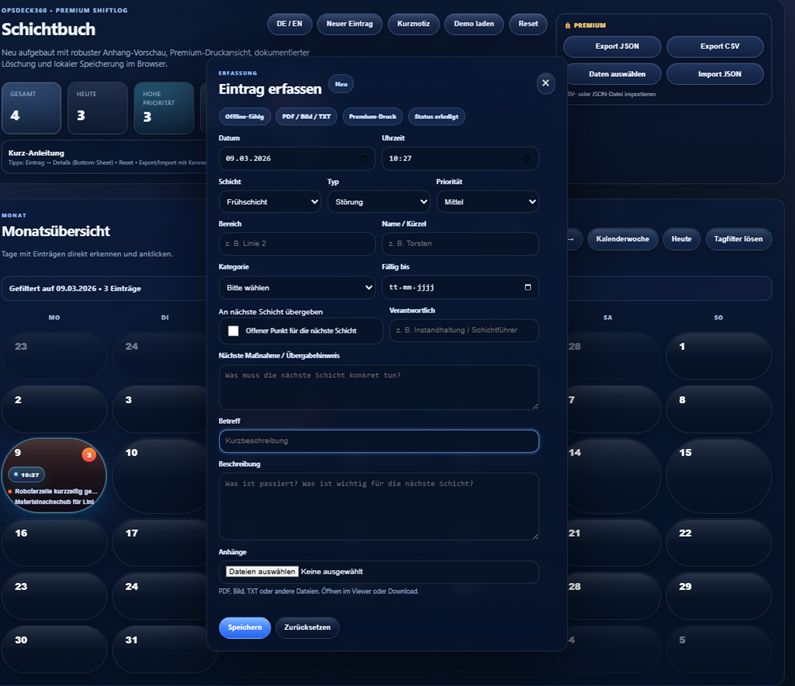
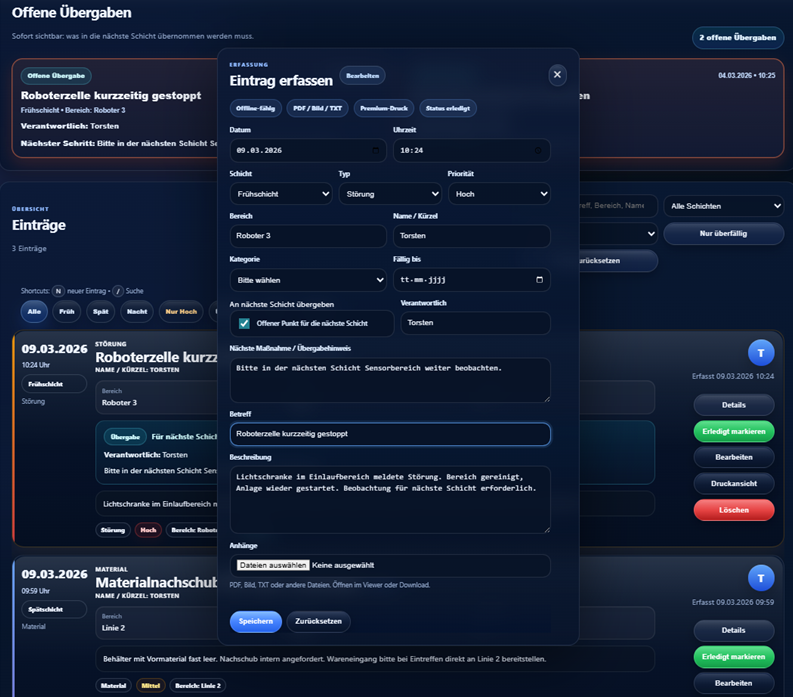
Handover log & workplace organization

Handover log

Shift/team handovers, notes, open items.

Workplace organization

Standards, checks, deviations, actions.

Pragmatic. Proven in industry.

Built by an industry practitioner: 35+ years in automotive/industry, building multiple sites and introducing processes & systems (incl. maintenance, quality, EAM/PM).

For decision-makers
Fast start, clear ROI, low implementation effort.
For operations
Offline/edge, robust workflows, clean feedback.
For IT
CSV as a start format; extend later (API/integration possible).

Typical use cases

One system – multiple entry paths. Start small and scale.

Stocktaking & inventory

Capture and verify inventory on mobile/PC and export as feedback.

  • CSV import from ERP/WMS/Excel
  • Status & history per transaction
  • Export at the push of a button

Goods receipt → Lager → Entnahme/Versand

Process-guided work instead of Excel/lists – even offline in the warehouse.

  • Transparent material movements
  • Responsibilities & timestamps
  • Optional attachments/QR

Work orders & feedback

Import or create work orders, execute and report back.

  • SAP optional (e.g., PM/EAM) via CSV
  • Order status & feedback CSV
  • Ideal for maintenance/shopfloor

60‑second Fit Check

3 questions – and you’ll immediately see whether Standalone or Hybrid fits best.

Request a demo
~10 seconds. Recommendation only – no spam.

How it works

Deliberately simple – so the pilot runs fast.

1

Import CSV

Any CSV: warehouse data, stock, work orders – from SAP or other sources.

2

Work through the process

Structured processing on the shopfloor/warehouse (mobile/PC). Offline capable.

3

Export feedback

Generate a feedback CSV at the push of a button – for processing in the source system.

Why CSV? Because it’s fast, compatible and IT-friendly. Integration can be deepened later – value starts immediately.

🚀 For decision-makers: live in 7 days

  • Provide a PC or tablet (Windows 10/11)
  • Load your own CSV – start without an integration project
  • 45–60 min short training
  • Go-live: feedback back as CSV (optional upload to host system)

☁️🚫 No IT mega‑project

No cloud
No server required
Wi‑Fi/LAN optional
Offline/Edge
CSV in/out
Rollout site by site

Data stays local. Network only if you want to upload CSVs directly into the host system.

Services

Consulting, digitalization and training for plants (SMEs) — pragmatic, close to operations and focused on fast implementation.

Consulting: SAP EAM / PM / QM

Structure, processes, roles – from shopfloor to system logic. Focus: usable fast, cleanly documented.

Consulting for SAP EAM/PM/QM rollout

Rollout/optimization with a clear roadmap: master data, processes, templates, training & handover into operations.

Interface between plant/site and SAP consulting

Translation between production/maintenance and SAP consulting: requirements, tests, acceptance and go-live stabilization.

Training: SAP EAM / PM / QM

Hands‑on: typical cases, checklists, clean feedback. For maintenance, quality and leadership.

Digitalization for plants (SMEs) – step by step

Pragmatic digitalization instead of a large project: clear phases, visible value, and a clean path from Excel/CSV toward stable processes.

Training: Lean / user software development

Lean methods, step-by-step digitalization and pragmatic tools (offline apps, CSV workflows, simple automation) for measurable impact.

Start right away: Send a short note (site, scope, goal) – I’ll reply with a proposal. info@opsdeck360.de

3 packages

A clear path from “demo with your data” to a complete on‑site system.

1) Demo with your data (48h)

Send a CSV/Excel – we import it and show OpsDeck360 with your master data.

  • CSV onboarding (template + import)
  • Sample documents for the workflow
  • 30‑min walkthrough (online)

2) Pilot (30 days, fixed price)

1 site. 1–2 processes live. Measurable value with low risk.

  • Kickoff + goals
  • CSV import/export setup (incl. templates)
  • Short training + support

3) OpsDeck360 Complete (system sale)

Preconfigured for Windows (PC/laptop/tablet) – as an on‑site “appliance”.

  • Standalone/offline at the site
  • Updates/backup concept optional
  • Support/SLA optional
Easy start: if you only have a CSV today, that’s enough. We turn it into a demo with your data within 48h.

Pilot: 30 days · 1 site

A clear entry that delivers measurable value – without big risk.

What’s included

  • Kickoff + goal definition
  • 1–2 processes live (e.g., stock + picking or work orders)
  • CSV import/export setup (incl. templates)
  • Short training + support
  • Results report & rollout recommendation

What you have at the end

  • Measurable time/error reduction (vs. Excel)
  • Clean feedback (CSV) to your system
  • Transparency & traceability
  • Clear roadmap for additional sites

Downloads

For decision-makers: short, forwardable, no slide deck.

Note: More PDFs will be provided here later via Netlify (tablet, IPC, Windows, Android).

Protected downloads

Technical documents on request (we’ll send the access code by email).

FAQ

The most common questions – answered briefly.

Do I need SAP?
No. SAP is optional. OpsDeck360 processes any CSV – also from other systems or Excel.
Why offline / edge?
Because warehouses/shopfloors often don’t work like an office. Offline increases robustness and reduces dependencies.
How fast can I start?
Typically in the pilot: ready within days, provided CSV inputs exist (or are defined together).
Is it only warehouse – or also work orders?
Both. Warehouse processes and work orders can be imported via CSV, processed and reported back.

Demo / Request a pilot

Share 2–3 details – I’ll get back shortly with a proposal.

Contact by email

Fastest is email. Please include: company/site, use case (warehouse/shopfloor/SAP), rough size and goal.

No newsletter. Only a reply to your request.
Request demo Pilot Passform
Prüfung